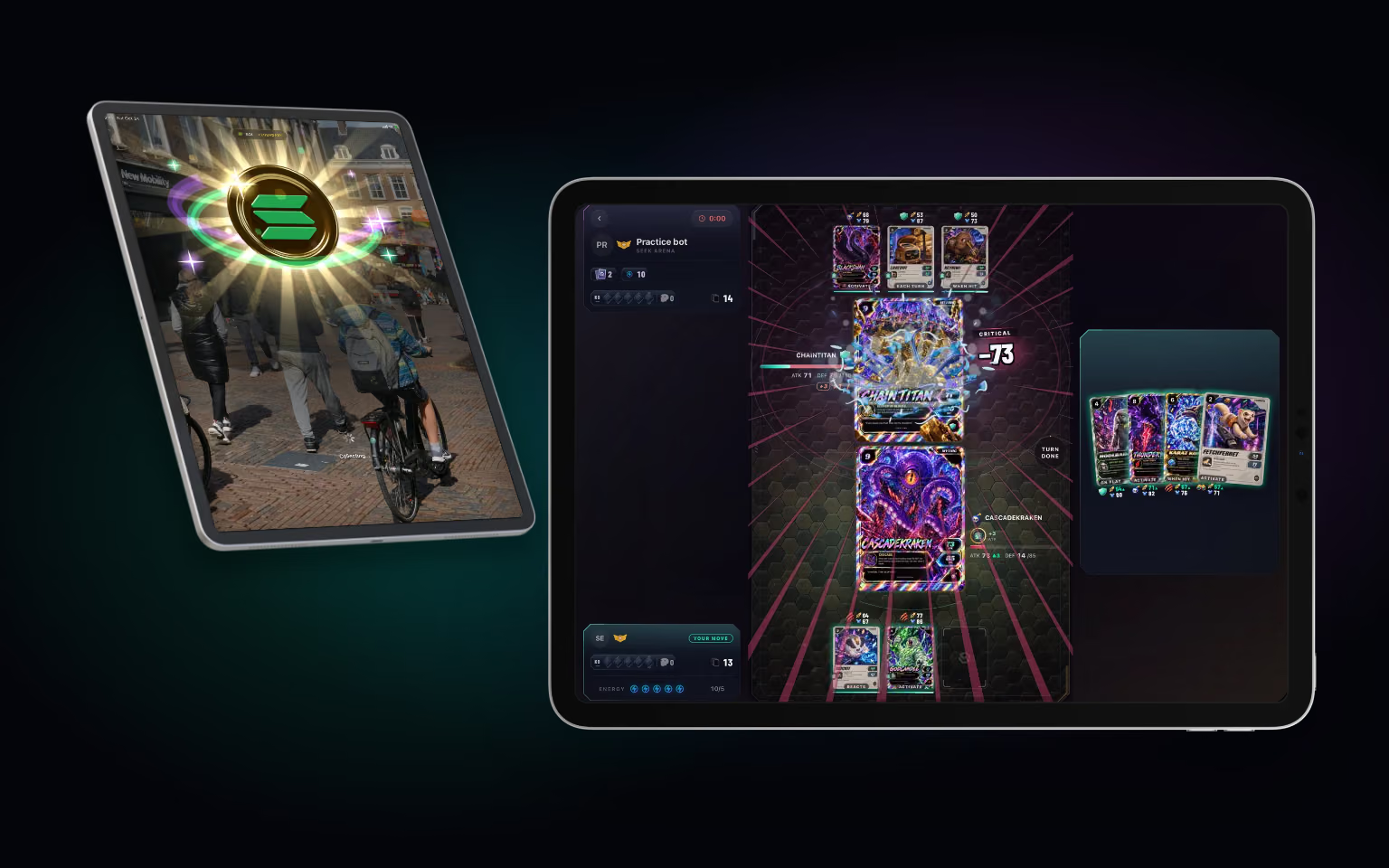
Seekprotocol is a phone app first, and it will stay that way: you take it for a walk, and a phone is what you have with you. But plenty of people also have an iPad or an Android tablet at home, and until now the app on those screens was a phone layout blown up to fit. That has changed. Seekprotocol runs as a proper iPad app and on Android tablets, in every orientation.
The difference is that the screens are rebuilt for the room rather than stretched. Chat, settings, clans and friends open side by side, with the list next to the page you have open. Home becomes a dashboard, the wallet gets a grid for your assets, the leaderboard shows the top three above the table, and the map gets a side panel of the spawns nearby.
AR is where a big screen shows its value most. A coin landing in the street ahead of you looks better on 11 inches than on 6, and you can take in the whole scene around it. The catch, AR and quests also hold their orientation while they run, so turning the tablet never breaks a catch halfway through.
Seek Arena gets the most out of the width. In landscape the board takes the whole display, with the bars in side panels, the active cards standing larger and your hand in a panel of its own; cards grow up to 2.2 times their phone size. In portrait you build your deck beside your collection, with more cards to a row. There is more about the game itself in our post on Seek Arena.
It is the same account on every device. Sign in on your tablet and your catches, cards, XP and progress are already there, and whatever you do on one device is on the other next time you open it.
To get it, install Seekprotocol from the App Store on your iPad or from Google Play on your Android tablet, or update the app if you already have it, and sign in as you always do. Then take your phone for a walk, and keep the big screen for the arena.